On this page
Deliverability is the gap between sent and seen. Your sending platform reports a campaign as delivered, the numbers look fine, and yet replies never come — because a mailbox provider quietly filed the message under Spam. Nobody tells you. There is no bounce, no error, no notification.
The good news is that spam filtering is far less mysterious than it looks. Gmail, Yahoo and Outlook are trying to answer one question: does this sender look like someone my user wants to hear from? Almost everything below is a way of giving that question a clearer yes.
Start with authentication: SPF, DKIM and DMARC
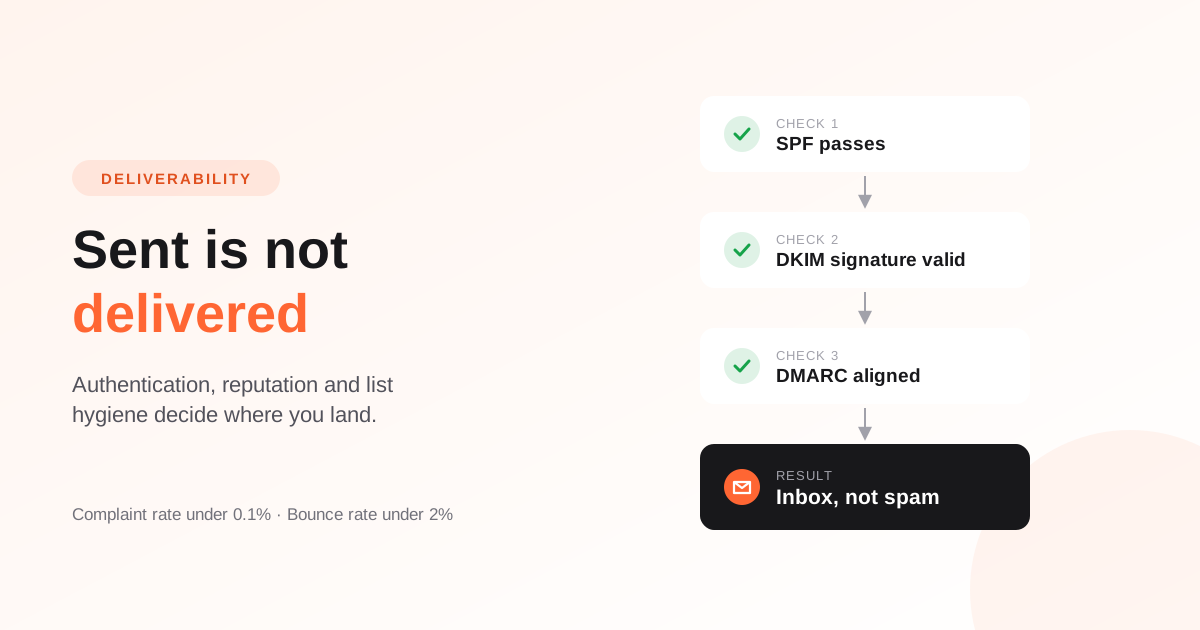
Authentication proves that the mail claiming to come from your domain really did. Since 2024, Gmail and Yahoo require all three from anyone sending in bulk. Without them, you are not fighting for the inbox — you are not in the race.
- SPF lists the servers allowed to send for your domain. Published as a TXT record.
- DKIM signs each message cryptographically, so a receiver can verify it was not altered and really came from you.
- DMARC tells providers what to do when SPF or DKIM fails, and asks them to send you reports. Start at
p=noneto observe, then tighten.
The subtlety people miss is alignment. SPF and DKIM can both pass while DMARC still fails, because DMARC checks that the domain the recipient *sees* in the From line matches the domain that passed the check. That is what a custom MAIL FROM subdomain is for: it aligns the envelope sender with your visible domain.
Reputation is the real filter
Once you authenticate, providers start building a reputation for your domain and sending IP. That reputation is largely a function of two numbers: how many of your messages bounce, and how many people mark you as spam.
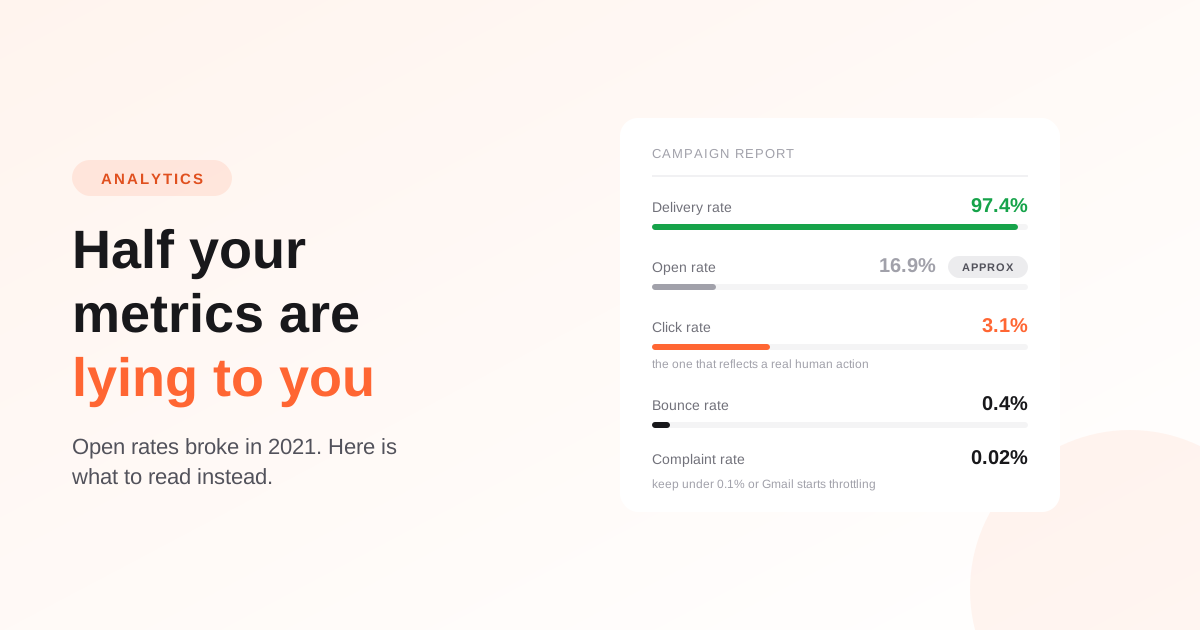
The thresholds are lower than most senders expect. A complaint rate above 0.1% — one report per thousand delivered messages — is enough for Gmail to start throttling you, and enough for most sending providers to open a conversation about your account. A bounce rate above 2% on a normal send suggests a list problem serious enough that filters will notice.
- Hard bounce: the address does not exist. Never send to it again.
- Soft bounce: a temporary failure, usually a full mailbox or a busy server. Retry, but stop after a handful of consecutive failures.
- Complaint: someone pressed the spam button. Suppress them immediately, regardless of what your records say about consent.
This only works if the feedback actually reaches your platform. Bounce and complaint notifications travel a separate path from the send itself, and it is entirely possible to send successfully for weeks while none of that feedback is being processed — which means no addresses are being suppressed, and the same dead addresses get mailed again on every campaign. If your reports show zero bounces and zero complaints across thousands of sends, that is not a clean list. That is a broken pipeline.
List hygiene beats every other tactic
The single biggest predictor of inbox placement is whether the people you email want your email. That sounds obvious, and it is still where most deliverability problems begin.
Collect addresses you can defend
Never buy a list, and never add someone because they handed you a business card. Use a signup form where the intent is explicit, and consider double opt-in when the source is noisy — a confirmation step costs you some volume and buys you a list that engages. If you are still building the collection side, see our guide to email lead generation and signup forms.
Stop emailing people who stopped reading
Engagement is a ranking signal. A subscriber who has not opened anything in six months is not neutral — they actively drag your reputation down, because providers notice that your mail is consistently ignored. Set a sunset policy: after a defined period of silence, send one re-permission email, then stop regular sends to anyone who ignores it.
A new domain has to earn its way in
A domain that has never sent marketing mail has no reputation, and no reputation is treated closer to bad than to good. Sending ten thousand messages on day one from a fresh domain is the most reliable way to land in spam.
Warm up instead. Start with a few hundred of your most engaged contacts, increase volume gradually over two to four weeks, and watch what happens at each step. Early opens and clicks from real people are exactly the signal providers use to decide you are legitimate.
What the message itself gives away
Content matters less than most "spam word" articles suggest, and more than experienced senders like to admit. Filters do not keep a banned vocabulary list; they compare your message to patterns they have seen before.
- Include a plain-text version. An HTML-only message is a mild negative signal and renders badly in some clients.
- Keep the image-to-text ratio sane. A message that is one large image with three words of text is a classic spam shape.
- Use a real, monitored reply address.
noreply@tells filters and readers the same thing: this is not a conversation. - Make unsubscribing trivial. A visible link plus the one-click header that bulk senders are now required to support. People who cannot unsubscribe press the spam button instead, and that costs you far more.
- Avoid link shorteners and mismatched URLs. Link text that disagrees with its destination is exactly what phishing looks like.
When mail is already going to spam
Work in this order. Each step is cheap, and the earlier ones explain most cases:
- Check the authentication line on a received message. Fix any failure before touching anything else.
- Register your domain with Google Postmaster Tools. It is the only direct view of how Gmail rates your domain, and Gmail is usually the majority of a list.
- Look at your bounce and complaint rates over the last few sends. If either is implausibly low, verify that the feedback is reaching your platform at all.
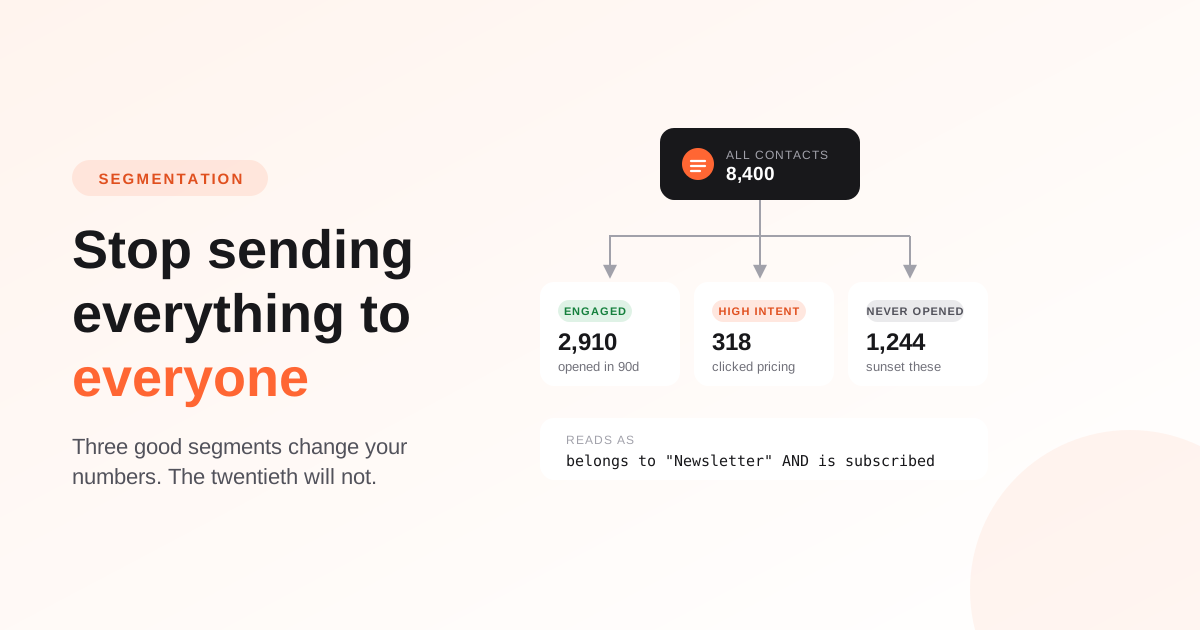
- Segment by engagement and send only to people who opened something in the last 90 days. If placement improves immediately, the problem was list quality.
- Compare campaigns. If one message went to spam and the rest did not, the cause is in that message — a link, an attachment, a sudden change in sending volume.
Deliverability is not a setting you switch on. It is the accumulated result of who you email, how often, and whether they are glad to hear from you. Get the authentication right once, keep the list honest continuously, and the filters will mostly leave you alone.
Frequently asked questions
Why do my emails go to spam when I have SPF and DKIM set up?
Authentication gets you considered, not delivered. Once SPF, DKIM and DMARC pass, placement is decided by reputation: your bounce rate, your complaint rate, and how much of your audience actually engages. A perfectly authenticated message to an unengaged list will still be filtered.
What is a good bounce rate for email marketing?
Under 2% for a normal send to an established list, and under 0.5% is typical for a list that is kept clean. Anything above 5% suggests the list was bought, imported from a stale source, or has not had hard bounces suppressed.
What complaint rate is too high?
Gmail asks bulk senders to stay under 0.3% and recommends keeping below 0.1%. Most sending providers treat sustained rates above 0.1% as a problem worth acting on, because complaints damage the reputation of every sender sharing that infrastructure.
Should I use double opt-in?
It is worth it whenever the quality of your signups is uncertain — paid traffic, giveaways, or any form without a clear value exchange. You lose some subscribers to the confirmation step and gain a list that engages, which is the trade deliverability rewards.
How long does it take to recover a damaged sender reputation?
Usually several weeks of consistently good sending. Stop sending to unengaged contacts, fix whatever caused the complaints, and rebuild volume gradually to your most engaged segment. There is no way to reset it faster, and moving to a new domain simply starts the warm-up problem over.