On this page
A campaign report can tell you that 94 people clicked. It cannot tell you whether those people reached the promised page, whether the right subscribers received the message or whether a welcome automation sent two emails on the same day. Those questions require a view across the audience, message and journey.
An AI assistant connected to your email platform can gather that context and help you inspect it. The useful result is not a polished verdict such as “your emails need better subject lines.” It is a short list of findings you can trace to actual records, plus one change you can test. Here is a practical audit you can run in an hour.
Start with one question and one journey
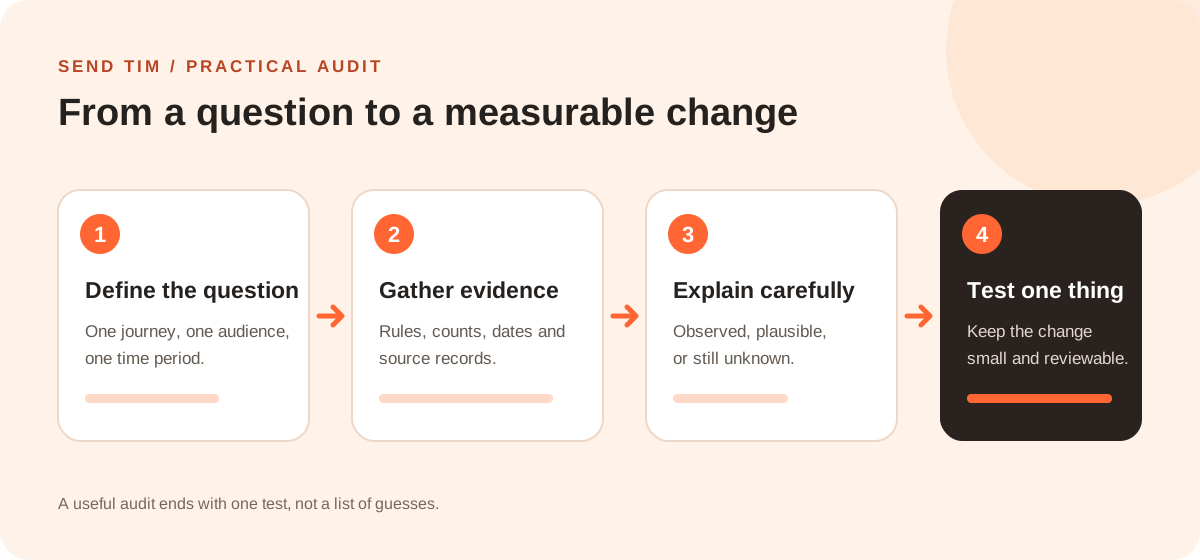
Choose a bounded problem: “Why do people stop clicking after the first welcome email?” is workable. “Fix our email marketing” is not. Give the assistant a date range, the list or segment, the automation or campaign names, and the outcome you care about. Ask it to report which data it can actually read before it draws conclusions.
If your assistant is not connected to your platform, you can export an aggregate report and use the same prompt. Remove personal information you do not need. A screenshot of one chart is rarely enough to explain a multi-step journey; include the underlying counts and date definitions.
Seven checks for an AI email marketing audit
1. Check the audience before the creative
Ask who was eligible, how many contacts matched, which exclusions applied and whether the audience changed during the period. A strong email sent to the wrong segment still fails. For an automation, inspect the trigger, re-entry rule and exit conditions. Check that unsubscribed contacts and people who already completed the goal are excluded where appropriate.
2. Map the messages and timing
List every email in the journey with its delay, subject, main promise and call to action. Look for gaps and collisions: a day-two educational email may be fine alone but confusing if a separate sales campaign lands the same morning. Ask the assistant to flag overlap; then inspect the actual automation settings yourself.
3. Reconcile counts before comparing rates
For each step, request entrants, sends, deliveries, bounces and unique clickers. Define the denominator for every rate. A 12% click rate based on delivered messages cannot be compared casually with a 12% rate based on all entrants. Small groups also move sharply when only a few people act, so ask for counts alongside percentages.
4. Follow the click to the intended outcome
A click is useful evidence of interest, but the destination may be broken, slow or unrelated to the promise. If you have a goal event, compare clicks with that event. If you do not, open the linked page, complete the action yourself and mark the outcome as unknown in the report. Never let the assistant invent conversions from clicks.
5. Read negative signals in context
Review unsubscribes, complaints, bounces and any replies you can safely examine. A spike after one message may point to a mismatch between the signup promise and the content. Opens are less dependable because privacy features can load tracking pixels without a human reading. Clicks can also include automated security checks; verify suspicious spikes against later actions.
6. Ask for hypotheses, not certainty
Tell the assistant to place each finding in one of three buckets: observed, plausible or unknown. “Email two had fewer unique clicks than email one” is observed if the counts support it. “The subject line caused the drop” is a hypothesis. It may also be the audience, timing, offer or destination. Ask what evidence would distinguish those explanations.
7. Choose one reversible improvement
Prioritize a change you can explain and measure: fix a broken link, rewrite one unclear call to action, adjust a delay or test a more useful second email. Record the baseline and decide in advance what would count as improvement. Leave new campaigns and automation edits as drafts until a person reviews the recipient count, content and timing.
A worked example: the welcome sequence
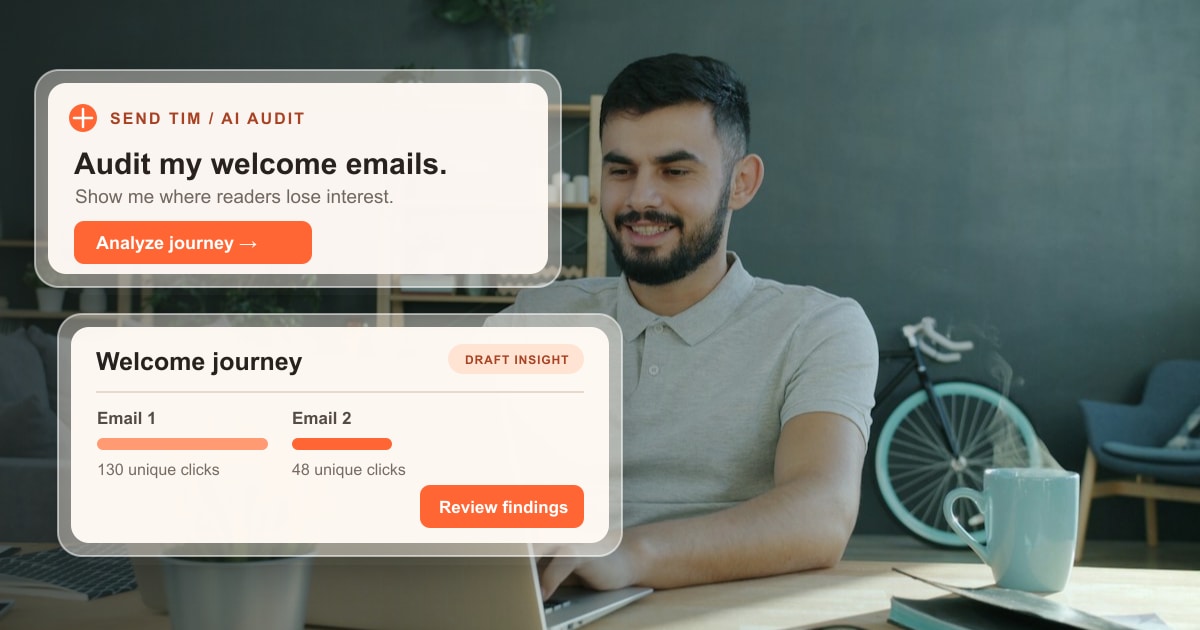
Imagine a newsletter with 1,000 new eligible subscribers in October. The first welcome email is delivered to 980 and receives 130 unique clicks. The second is delivered to 930 and receives 48. These numbers are illustrative, not Send Tim customer results. They suggest a point to investigate, but they do not prove that the second email is weak: some people may have left the sequence or achieved the goal before it sent.
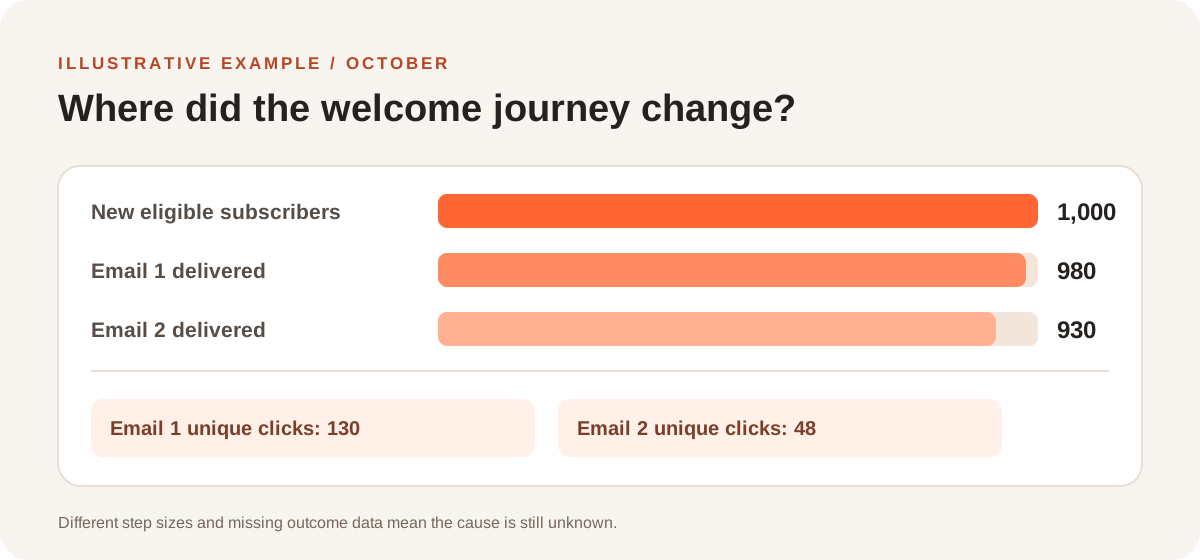
The next prompt should ask: “Show who became ineligible between emails, compare each email’s link promise with its destination, and list two possible reasons for the click difference. Mark anything the data cannot establish. Recommend one test that does not change the audience.” That turns a dramatic-looking chart into a useful investigation.
| Evidence | Safe interpretation | Next check |
|---|---|---|
| 130 vs 48 unique clicks | Fewer people clicked the second email | Compare eligible recipients and click rates by step |
| 980 vs 930 deliveries | Fewer deliveries were recorded for email two | Check exits, suppression and bounces |
| No goal event supplied | Business outcome is unknown | Test the destination and add an appropriate goal |
Three prompts to turn findings into a plan
- Compare campaigns: “For the last six newsletters to the same audience, show delivered count, unique clicks, unsubscribes and the main link. Compare only messages with a similar purpose. Identify one pattern, its limitations and one follow-up question.”
- Inspect an automation: “Map the welcome flow as it is configured today. Check trigger, re-entry, delays, exits and suppression. Report possible collisions with other sends. Do not edit the flow.”
- Prepare an experiment: “Using the evidence above, draft one alternative for email two. Keep the same audience and offer. Explain what changed, what metric should move and what would make the test inconclusive. Leave the draft unsent.”
The assistant can only answer with the data and tools it is allowed to access. If campaign reports, automation settings or goal events are missing, use the dashboard to fill the gap. For setup and connection details, see our guide to running email marketing from ChatGPT or Claude.
Run the audit in Send Tim
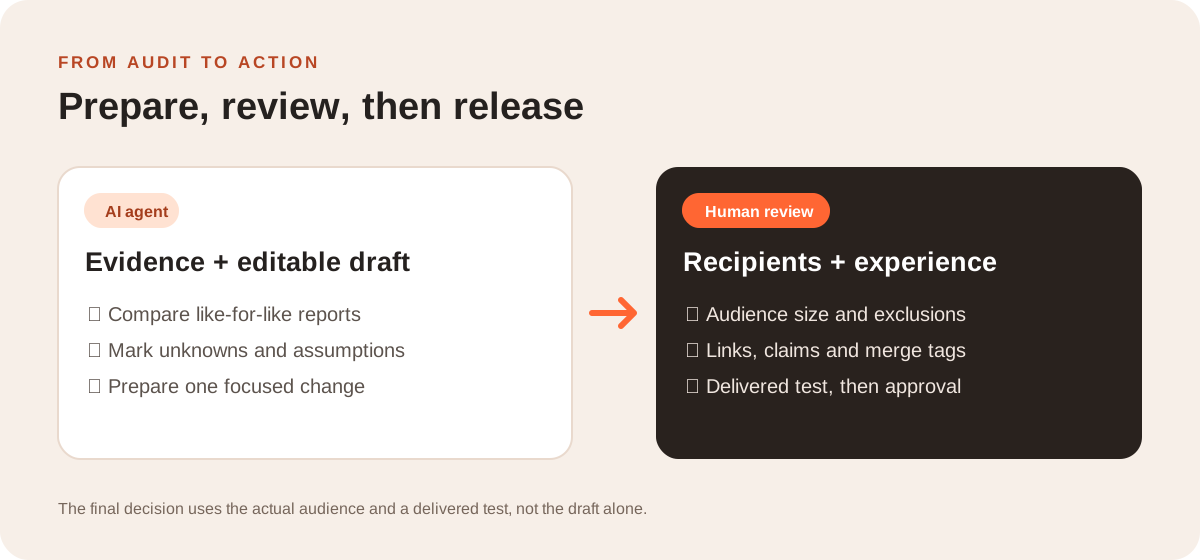
Connect your AI assistant to Send Tim through the MCP server, then ask it to read the workspace context and inspect the campaign or automation you named. It can work with contacts, segments, campaigns, automations and analytics within your role. Start with a read-only prompt and ask for counts and source records. When you are ready to improve the journey, have it prepare a draft for review.
Before approving a send or activation, check the audience size, exclusions, sender, links, claims, personalization fallbacks and test email. The same discipline applies whether you built the draft yourself or an assistant built it. Our email marketing metrics guide explains how to read the numbers together.
Frequently asked questions
Can AI audit an email campaign without sending anything?
Yes. Ask the assistant to read campaign reports, audience rules and automation settings and to return findings only. State that it must not edit, schedule or send. Its access still depends on the tools and permissions available in your email platform.
What data should I include in an AI email marketing audit?
Include a date range, audience definition, eligible and delivered counts, unique clicks, unsubscribes, complaints, automation steps and a business goal if one is tracked. Use aggregate data where possible and define the denominator behind each rate.
Can an AI assistant tell me why an email performed poorly?
It can identify patterns and propose explanations, but a report alone rarely proves a cause. Compare similar audiences and messages, check the destination, and test one change before treating a hypothesis as a conclusion.
Should I use open rate to judge a welcome sequence?
Use it cautiously. Privacy features can inflate recorded opens, while image blocking can hide real reads. Look at delivered counts, unique clicks, replies, unsubscribes and meaningful actions together.