On this page
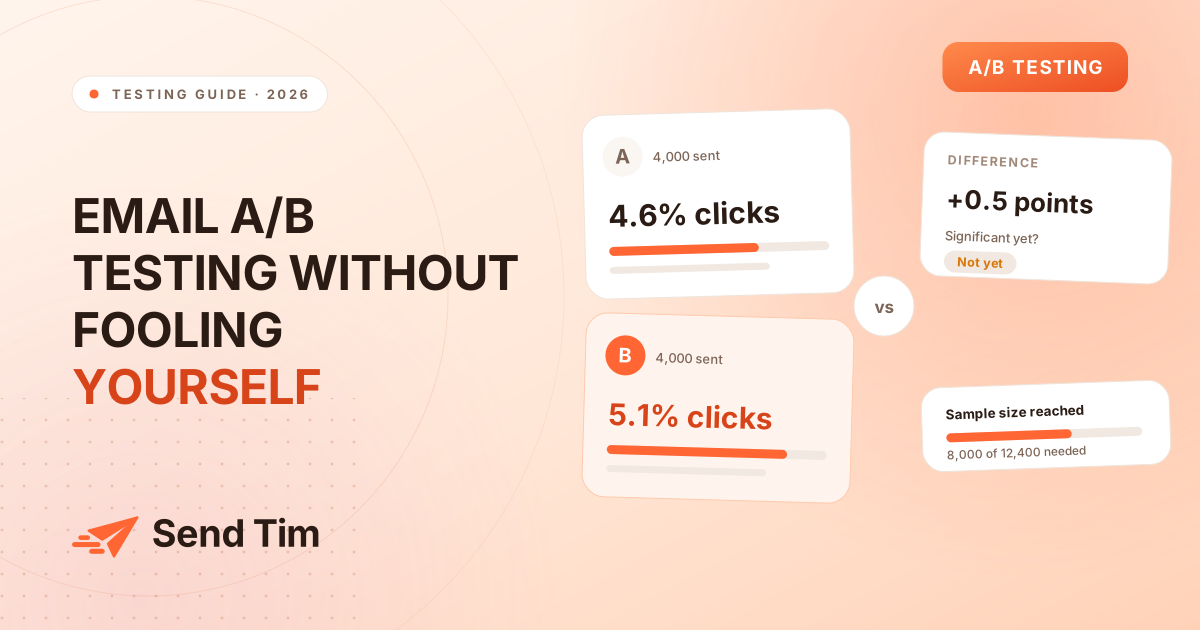
A/B testing is the most misused idea in email marketing. Most "tests" are a subject line sent to 500 people each way, declared a winner on a half-point difference, and never repeated. That is not a test, it is a coin flip with extra steps, and acting on it makes your email worse by teaching you things that are not true.
Done properly, split testing is still the only way to find out what your list actually responds to, rather than what a benchmark article says lists respond to. This guide covers what is worth testing, how many contacts you need, how to read a result honestly, and how to build up knowledge over months instead of one-off experiments.
What an email A/B test actually is
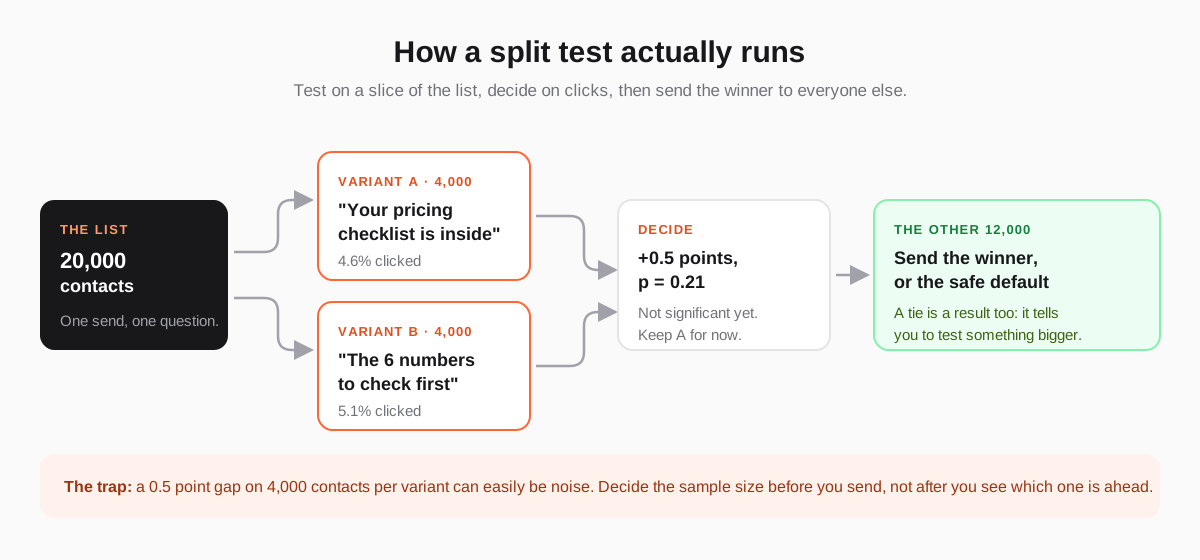
An A/B test (or split test) takes one campaign, produces two versions that differ in exactly one respect, and sends each version to a randomly chosen, comparable group of contacts. Whichever version performs better on a metric you chose in advance wins, and the winner goes to the rest of the list.
The two parts people skip are "exactly one respect" and "chose in advance". If version B has a different subject line and a different button, a win tells you nothing about which change caused it. If you pick the metric after seeing the numbers, you will always find a metric where your favourite version won.
What is worth testing (and what is not)
The size of the effect you can detect depends on your list size, and your list is almost certainly smaller than you would like. That means you can only afford to test changes big enough to produce a difference worth detecting. Rank candidates by how much of the reader's decision they touch:
| Test | Typical effect | Worth it? |
|---|---|---|
| The offer — what the reader gets for clicking | Large | Always. This is the test that changes a programme. |
| The call to action — what you ask, and how specific it is | Large | Yes. "Get the checklist" versus "Learn more" is a real difference. |
| Email length and structure — one point versus five | Medium | Yes, once the offer is settled. |
| Sender name — person versus company | Medium | Yes, and it is a one-off test you can reuse for years. |
| Send time and day | Small to medium | Only with a large list, and re-test yearly. |
| Subject line wording | Small on clicks | Yes, but judge it on clicks, not opens. |
| Button colour, font, emoji in the subject | Usually nil | No. You will not have the volume to detect it. |
Which metric decides the winner
Pick one metric, and pick it before you send. For almost every test, that metric is the click rate, or better, the click-to-open rate if you are testing something inside the email rather than the subject line.
- Clicks — the default. A click is a deliberate action that proxies for interest, and nothing inflates it artificially.
- Conversions or revenue — the honest metric when the email leads somewhere measurable. It needs a much larger sample, because only a fraction of clickers convert.
- Unsubscribes and complaints — always watch these alongside the winner. A variant that lifts clicks while lifting unsubscribes is not a winner, it is a louder email.
- Opens — no longer decisive. Apple Mail Privacy Protection and similar proxies load tracking pixels without a human reading anything, so a chunk of recorded opens are machines.
This is why subject line tests are awkward in 2026: the thing a subject line most directly affects is the thing you can no longer measure cleanly. Test subject lines anyway, but judge them by the clicks that follow, and accept that you are measuring the subject line and the email together.
How many contacts you need
The uncomfortable arithmetic: the smaller the difference you want to detect, the more contacts you need, and the relationship is brutal. Roughly, to detect a change in click rate with reasonable confidence you need enough contacts that each variant produces a few hundred clicks, not a few dozen.
| Difference you want to detect | Contacts per variant | Realistic for |
|---|---|---|
| 4% → 6% (a 50% lift) | ~2,500 | Most lists. Test big changes. |
| 4% → 5% (a 25% lift) | ~9,000 | Mid-sized lists. |
| 4% → 4.5% (a 12% lift) | ~35,000 | Large senders only. |
| 4% → 4.2% (a 5% lift) | ~220,000 | Effectively nobody. Do not try. |
Read that table as permission rather than discouragement. If you have 5,000 contacts, you cannot detect a 5% lift — so do not waste sends chasing one. You can detect a 50% lift, which is exactly what a genuinely different offer or call to action produces. Small lists should run bold tests; large lists can afford careful ones.
What to do when the list is too small
- Test across campaigns, not within one. Run the same variant for a month of sends and compare against the previous month. It is less clean, but it accumulates volume.
- Test on the segment that matters, not the whole list, and accept that the answer applies only there.
- Pool results. Three consecutive tests of "specific CTA versus vague CTA" on different campaigns are worth more than one test on any of them.
- Prefer qualitative evidence. Five replies from readers explaining why they did not click beat a non-significant 0.3 point gap.
How to read the result without fooling yourself
Three habits separate a test you can act on from a number that happens to exist.
Write the decision rule before you send
One sentence, saved with the campaign: "If variant B's click rate beats A by at least 20% relative, with at least 2,500 contacts each, we adopt B's structure for the next quarter's nurture emails. Otherwise we keep A and test the offer instead." Now the result has somewhere to go, and you cannot move the goalposts after seeing it.
Do not stop a test early because one side is ahead
Early in a send, variants swap places constantly as clicks trickle in. If you check every hour and call it the moment your preferred version leads, you will "win" most tests and learn nothing. Set the window — usually 24 to 48 hours, long enough to cover a full day of inbox checking — and read it once at the end.
Treat small gaps as ties
If the difference is within a point or two and the counts are modest, it is a tie. Record it as a tie, and say what it means: the thing you tested is not the constraint. That is a genuinely useful finding — it sends you to look at the offer, the segment or the deliverability instead of rewriting subject lines forever.
Mistakes that quietly ruin tests
- Unequal groups. A test group split by signup date, alphabet or list order is not random. Signup cohorts behave differently; split randomly or not at all.
- Changing two things. New subject *and* new layout means you learn nothing transferable.
- Different send times. Sending A on Tuesday and B on Thursday tests the day, not the email.
- Re-testing the same tiny thing forever. After three ties on subject line punctuation, the message is to go test the offer.
- Ignoring the segment. A result from your most engaged 10% rarely holds for cold contacts.
- No record. A test you cannot find in six months is a test you will run again by accident.
Turning one-off tests into a programme
The value of testing compounds only if results are written down and reused. Keep a plain list of every test: the date, what differed, the metric, the sample size, the outcome, and the one-line conclusion. After a year it becomes the most valuable document your email programme has — a record of what your audience actually responds to, which no benchmark article can give you.
A sensible cadence for most senders is one test per month on something structural, not one per campaign on something cosmetic. Twelve well-chosen tests a year, each big enough to detect, will teach you more than a hundred subject-line coin flips.
If you want the next step after testing, read Email Marketing Metrics That Actually Tell You Something for what each number means, and Email Segmentation for how to make sure you are testing on the right people in the first place.
Frequently asked questions
How long should an email A/B test run?
Long enough to cover a full cycle of inbox checking, which in practice means 24 to 48 hours for most lists. Reading the result earlier is how you convince yourself that random early noise is a winner. Set the window in advance and look once at the end.
How big does my list need to be to A/B test emails?
It depends on how large a difference you are trying to detect. At a 4% baseline click rate, detecting a 50% lift needs roughly 2,500 contacts per variant, while detecting a 12% lift needs around 35,000. Smaller lists can still test — they just have to test bigger changes, such as the offer or the call to action.
Should I A/B test subject lines on opens or clicks?
Clicks. Apple Mail Privacy Protection and similar proxies pre-load tracking pixels without anyone reading the email, so open rate no longer reflects human behaviour reliably. You can glance at opens as a weak signal, but the decision should rest on clicks.
What if the A/B test result is a tie?
Record it as a tie and treat it as information: the element you tested is not what is limiting the email. Move on to something with a larger effect, such as the offer, the segment you are sending to, or whether the email is reaching the inbox at all.
Can I test more than two versions at once?
Technically yes, but each extra variant splits the same audience further and multiplies the chance of a false winner. Unless you are sending to tens of thousands of contacts, two versions of one well-chosen difference will teach you more than four versions of a vague one.