On this page
- What is email personalization?
- Start with first-party data people expect you to use
- Permission beats prediction
- Email personalization examples that help the reader
- Privacy and consent guardrails for personalized email
- How to implement personalized email without overbuilding
- Measure relevance, not just attention
Personalized email marketing has a trust problem. People appreciate a message that remembers what they asked for; they dislike a message that reveals an invisible profile they did not know they were building. The difference is not how much data you have. It is whether the use of that data makes sense from the subscriber’s point of view.
This guide shows how to use first-party data for relevance without turning your email programme into surveillance: choose transparent inputs, connect each input to a real decision, explain the benefit and give people control. Use Email Segmentation for the rule-building layer and GDPR and Email Marketing for the compliance checklist.
What is email personalization?
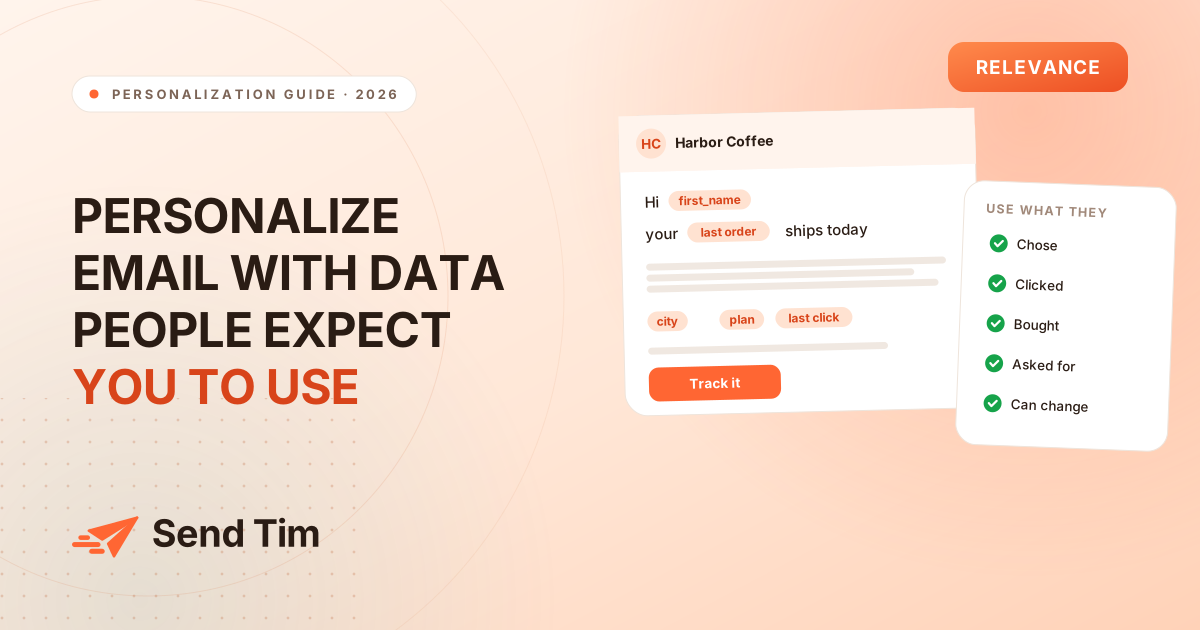
Email personalization is the practice of adapting an email’s content, offer, timing or call to action to information that is relevant to the recipient. Good personalization reduces the work a reader has to do to find the next useful step. It is not a licence to mention everything a system can observe.
Start with first-party data people expect you to use
First-party data is information your organisation collects directly through a relationship with the person: a signup form, preference centre, purchase, reply, product action or customer conversation. It is valuable not because it is automatically permissioned for every use, but because the context and source are easier to explain and govern.
| Input | Why it helps | Use it for |
|---|---|---|
| Declared preference | The person told you what they want | Topic, frequency or format |
| Signup context | The source explains the original intent | Welcome path and first follow-up |
| Purchase or plan | A clear commercial relationship exists | Onboarding, usage and support |
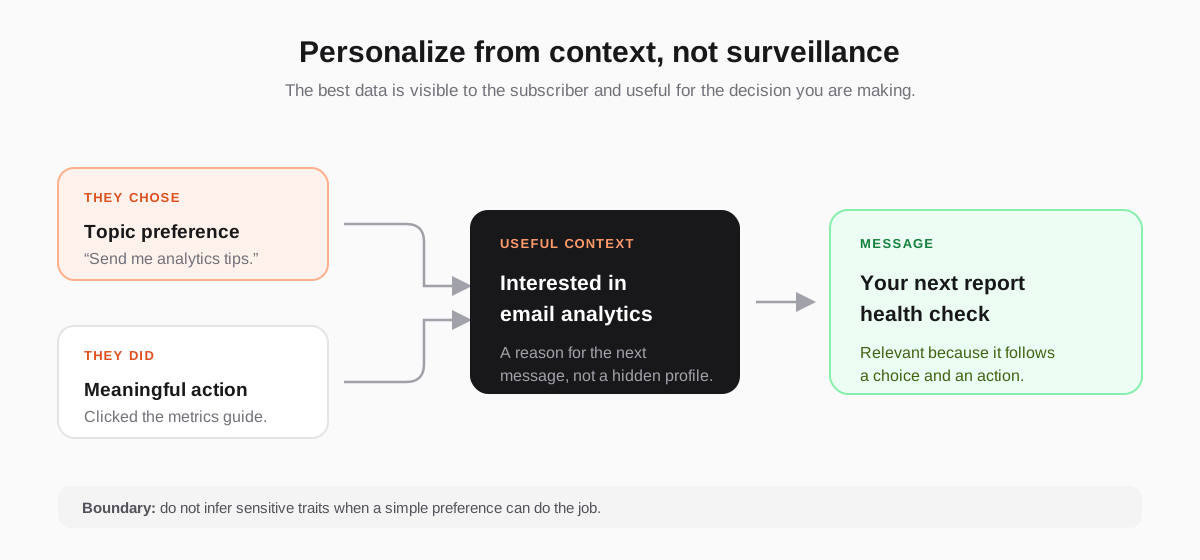
| Meaningful click | The person took a deliberate action | A bounded follow-up topic |
| Open alone | The signal is noisy and privacy-affected | A rough trend, not a major branch |
The last row matters. A single open is weak evidence about interest, and even a pattern of opens can be distorted by privacy systems. When a decision affects what someone receives next, prefer a choice, a click, a reply or a product event. Our guide to email marketing metrics explains why open rate should not carry that responsibility.
Permission beats prediction
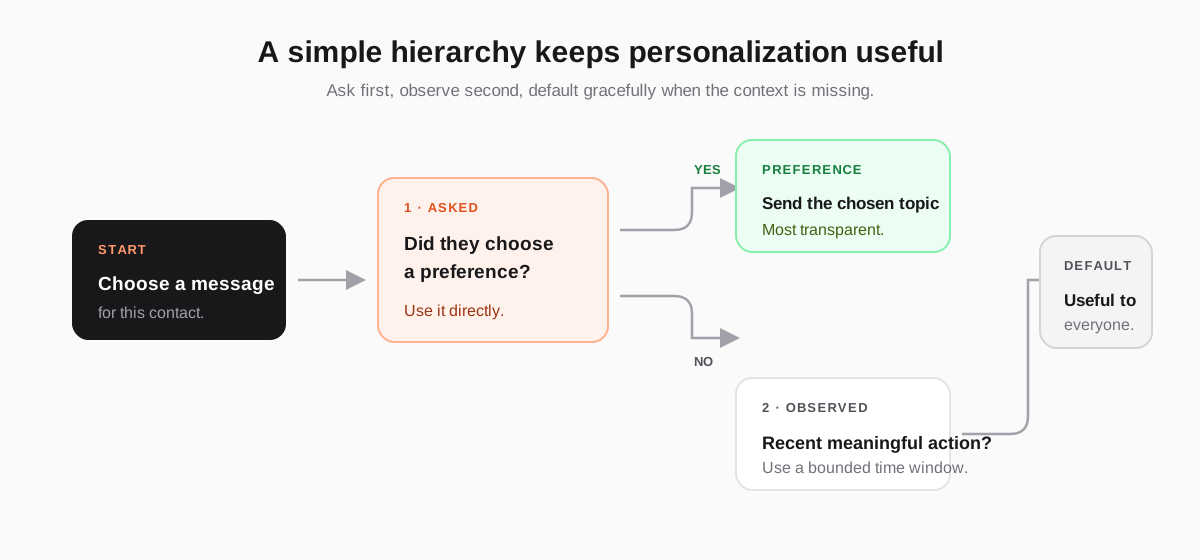
If you want to know what someone wants, ask in a way that improves their experience. A short preference question at signup, a topic selector in the footer or a preference-centre link can create better personalization than a complicated model built from ambiguous activity. It also gives the subscriber a way to correct you.
- Ask about topics: “Which guides should we send you?” is clearer than silently classifying a person from their browsing history.
- Ask about frequency: weekly, monthly or product-only gives you a useful sending rule and reduces unwanted mail.
- Explain the benefit: tell the subscriber what changes when they choose an option.
- Let people change their mind: preference data should be editable, timestamped and respected in future campaigns.
Email personalization examples that help the reader
The strongest examples change the decision a reader needs to make. They do not merely add a name to the greeting. Keep the connection between signal and message visible, useful and proportionate.
- Topic preference → content: send analytics guides to someone who selected analytics, and let them remove the topic later.
- Signup source → welcome path: explain the next step that matches the form or resource that created the subscription.
- Plan or purchase → onboarding: show the setup path for the product or tier the customer actually chose.
- Recent product action → help: follow a meaningful action with the next step, not a generic “we miss you” message.
- Reply or support question → follow-up: answer the question in the same context before inviting another action.
Privacy and consent guardrails for personalized email
Personalization is a data-use decision, so document the purpose of each field and the permission that supports it. The GDPR text requires organisations to be clear about purpose, lawful basis and people’s rights; for direct marketing by email, the ICO guidance is a useful practical reference. This article is general information, not legal advice.
- Collect only what you can use: every field needs a job in a message, segment or workflow.
- Separate consent from convenience: a preselected box or vague “updates” label is not a clear explanation of what someone will receive.
- Keep a source and timestamp: know where a preference came from and when it changed.
- Respect objections immediately: suppress a contact from the relevant marketing when they unsubscribe or change preference.
- Do not expose hidden traits: avoid personalizing around health, finances, ethnicity, sexuality or other sensitive categories unless you have a well-founded, explicit and compliant reason that has been reviewed appropriately.
How to implement personalized email without overbuilding
Start with one audience, one signal and one message decision. For example: contacts who selected “analytics” receive the analytics newsletter; contacts who clicked a pricing guide receive a case study for a limited period; customers who purchased a plan receive the matching setup sequence. Keep the rule readable before you add more conditions.
- Name the decision: what changes in the email because of this data?
- Name the source: was it declared, observed, purchased or imported?
- Set a time window: old behaviour should not personalise every future send.
- Define the fallback: what does everyone else receive when the signal is missing?
- Test the experience: check the message, the preference control and the unsubscribe path from a real subscriber’s perspective.
In Send Tim, that means collecting the field through a form or preference centre, turning it into a segment rule, and connecting that segment to a campaign or automation. Keep the rule close to the message so a teammate can inspect it later, rather than hiding the logic in an export or spreadsheet.
Measure relevance, not just attention
The aim of email personalization is not to win a higher open rate at any cost. Measure whether the personalized version produces more of the action the email exists to create: clicks, replies, signups, activation, purchase or retention. Watch unsubscribes and complaints beside the lift, and use an unpersonalized control when the audience is large enough to make the comparison useful.
Frequently asked questions
What is email personalization?
Email personalization adapts an email’s content, offer, timing or call to action to context that is relevant to the recipient. Useful personalization reduces the work a reader has to do to find the next step. It is more than inserting a first name and should never require using every data point available.
What is first-party data in email marketing?
First-party data is information collected directly through your relationship with a person, such as a signup preference, purchase, reply, product action or meaningful click. It is easier to explain and govern than data bought from elsewhere, but it still needs a clear purpose, appropriate permission and a way for the person to change it.
What are good examples of personalized email?
Good examples include sending the topic someone selected, showing the onboarding path for the plan they purchased, following a pricing-page click with a relevant case study, or adjusting newsletter frequency to a stated preference. Each example connects a visible signal to a useful decision instead of merely changing the greeting.
Is email personalization allowed under GDPR?
GDPR does not make every personalization use automatically lawful or unlawful. You need a clear purpose, an appropriate lawful basis, transparent information, data minimization and respect for people’s rights. Direct marketing rules can add requirements depending on the audience and location, so obtain qualified legal advice for a specific programme.
Should I personalize email based on opens?
Do not rely on opens as the main personalization signal. Privacy systems can register opens without a person reading the email, so the signal is noisy. Use declared preferences, clicks, replies, purchases and product actions for important decisions, and give every rule a bounded time window and a useful fallback.