On this page
Marketing email gets the attention because it is the part you plan. Transactional email gets attention the week it breaks, usually after a support agent notices three tickets that all say "I never got the email". By then it has been broken for a fortnight, and you have no idea how many people gave up without writing in.
This guide is about the half of your sending that nobody schedules: what actually counts as transactional, the line teams cross without realising, why these failures stay invisible for so long, and what to measure so they do not.
What counts as a transactional email
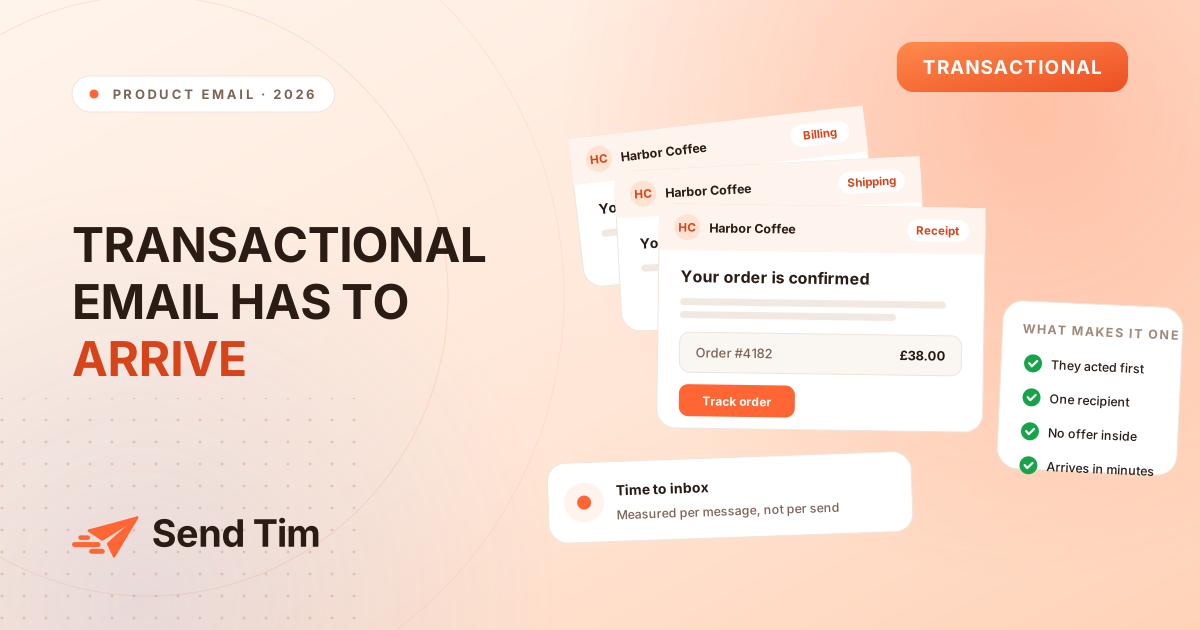
A transactional email is a message sent to one person because of something that person just did, containing what they need to finish it. A receipt after a purchase. A link after a password reset request. A tracking number after a parcel ships. A warning after a card is declined.
The useful test has three parts, and a message has to pass all three:
- They started it. Their action created the need for the message, not your calendar.
- It goes to them alone. There is no audience to build, no segment to choose. The recipient was decided by the event.
- It carries no offer. The message contains what they need and nothing you are hoping they will buy.
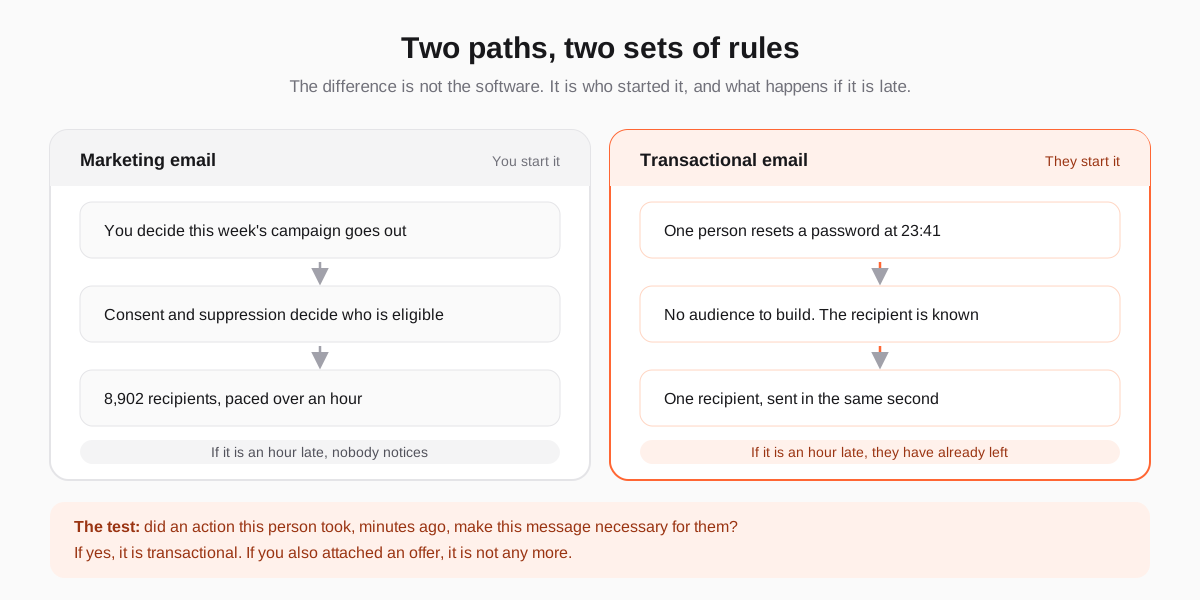
Fail any part and it is marketing, whatever the internal naming says. A "we miss you" email is triggered by inactivity, which is the absence of an action rather than an action, so it is marketing. A monthly usage summary nobody asked for is marketing. A receipt with a 20% discount code stapled to the bottom is, in most jurisdictions, marketing.
The line teams cross without noticing
Receipts have the best open rates in the business, which is exactly why someone eventually suggests putting a promotion in one. It is the single most common way a compliant programme becomes a non-compliant one.
Both the EU and US regimes classify a message by its primary purpose, not by the system that sent it or the label on the template. Once the promotional content is prominent enough to be a main reason the message exists, it is a commercial message: it needs a lawful basis for marketing, an unsubscribe mechanism, and it must respect the suppression list. A receipt that ignores an unsubscribe because "receipts are exempt" is the sort of detail that turns a complaint into a fine.
| Message | Which it is | Why |
|---|---|---|
| Order receipt | Transactional | They bought; this is the record of it. |
| Password reset | Transactional | They asked, and it is useless if delayed. |
| Shipping and delivery updates | Transactional | Expected, specific, tied to their order. |
| Failed payment warning | Transactional | Their account is at risk and they must act. |
| Receipt with a discount code | Marketing | An offer is attached, so the purpose is now mixed. |
| Monthly usage summary | Usually marketing | Your schedule started it, not their action. |
| "Your trial ends on Friday" | Borderline | Factual and account-specific, but you chose the moment. Treat it as marketing if it argues for upgrading. |
| "We miss you" | Marketing | Triggered by the absence of an action. |
Why these failures stay invisible
A campaign that lands in spam shows up immediately: the click rate collapses and somebody asks why. Transactional email has none of that feedback. It breaks for one person at a time, and that person does not file a bug report. They try once more, assume your product is broken, and leave.
- Nobody complains about a missing password reset. They abandon the login and never come back, and that looks like churn rather than a mail problem.
- Averages hide it. 99.2% delivery over a month can contain a six-hour window where every message to one mailbox provider bounced.
- The symptom appears somewhere else. Activation drops, support volume rises, a cohort looks worse. All of it gets blamed on the product.
- It often breaks through someone else's change. A DNS edit, an expired DKIM key, a new provider defaulting to a shared domain. Nothing in your email tool changed.
Send them from a separate subdomain
Mailbox providers build reputation per sending domain. If campaigns and receipts leave from the same one, a campaign that collects complaints drags the receipts down with it. The fix is structural and takes an afternoon: give each stream its own subdomain, each with its own DKIM key, under one DMARC policy on the root.
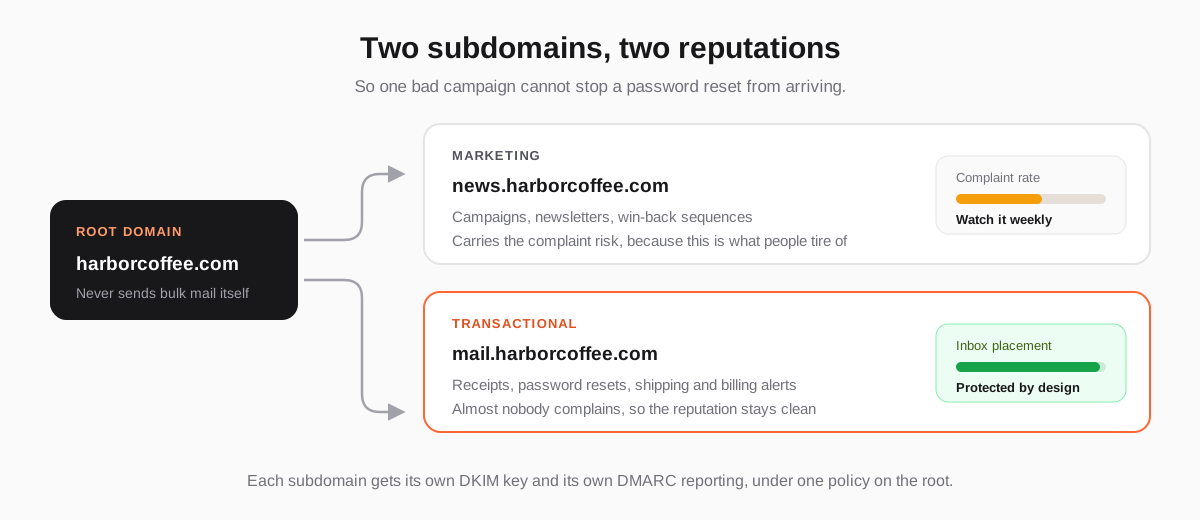
Keep the root domain out of bulk sending entirely so that your corporate mail, which is what people reply to, is never affected by either stream. The authentication records themselves are the same work either way: see why emails go to spam for what SPF, DKIM and DMARC each do.
The ones worth getting right first
Order the work by what a failure costs, not by how often the message sends:
- Password reset and sign-in codes. A failure locks a paying customer out of your product. These are also the most time-sensitive messages you will ever send.
- Failed payment and card expiry. A failure is involuntary churn, which is revenue you lose while believing the customer left on purpose.
- Order and signup confirmation. A failure generates a support ticket, a duplicate order, or an abandoned account.
- Shipping and delivery updates. Low urgency individually, high volume, and the most common subject of "where is my order?" tickets.
- Security notices. Rare, and the worst possible message to lose.
Writing them
The craft here is the opposite of marketing copy. Put the fact in the subject line, because many people never open the message and read only that: "Your order #4182 is confirmed" beats "Thanks for your order!". Put the detail the person needs in the first two lines, before any branding. Offer one action and make it a link that still works on a phone at midnight. Then stop.
Send plain text alongside the HTML, and make sure the message still makes sense with images blocked, because the mail clients people read receipts in are not the ones they read newsletters in.
What to measure, and what to ignore
Open rate is not a useful metric for any email, and for transactional email it is actively misleading: a receipt opened by a filter looks identical to one read by a person. Measure the things that describe whether the message did its job.
| Metric | What good looks like | What it catches |
|---|---|---|
| Delivery rate, per message type | Above 99%, tracked separately for each type | One broken template or trigger, hidden inside a healthy average. |
| Time to inbox | Seconds, not minutes | A queue backing up, which is invisible in a daily total. |
| Hard bounce rate | Near zero | Typos at signup, and addresses that were never valid. |
| Complaint rate | Effectively zero | A promotional block that has crept into a receipt. |
| Failed sends per hour | Flat | The six-hour outage that a monthly figure smooths away. |
For the metrics shared with your campaigns, and why click-based measurement has replaced open-based measurement everywhere, see the email metrics that actually tell you something.
Should both streams live in one platform?
Keeping them in one place is worth it for one reason that has nothing to do with convenience: suppression and consent only work if everything consults the same list. When marketing lives in one tool and transactional in another, the unsubscribe recorded in the first is invisible to the second, and the day somebody adds a promotional line to a receipt you are sending marketing to people who opted out.
What you do need is separation inside that platform: different sending subdomains, different rate limits, and reporting that never averages the two together. One contact record, one suppression list, two independent pipes.
If you are setting up the domain side of this for the first time, start with why emails go to spam, then the GDPR checklist for the consent rules that apply the moment a message stops being purely transactional.
Frequently asked questions
What is the difference between transactional and marketing email?
A transactional email is sent to one person because of an action that person took, and contains what they need to complete it: a receipt, a password reset, a shipping notice. A marketing email is sent because you decided to send it, usually to many people, and promotes something. The distinction matters legally, because marketing email needs a lawful basis and an unsubscribe mechanism while transactional email generally does not.
Do transactional emails need an unsubscribe link?
A genuinely transactional message does not, because the recipient cannot opt out of the receipt for something they bought. But the moment you add promotional content prominent enough to be a main purpose of the message, it is classified as marketing and the unsubscribe requirement applies to the whole message. If you are unsure, adding a preferences link costs you nothing.
Can I send marketing content in a transactional email?
Technically yes, but it changes what the message is. Regulators classify a message by its primary purpose, so a receipt carrying a discount code is treated as a commercial message: it needs consent where consent is required, it needs an unsubscribe, and it must respect your suppression list. A quiet, relevant link to help content for what they just bought is a different matter and is normally fine.
Should transactional email use a different domain?
A different subdomain of the same root domain, yes. Mailbox providers track reputation per sending domain, so sending campaigns from news.example.com and triggered messages from mail.example.com means a campaign that attracts complaints cannot stop a password reset from reaching the inbox. Keep the root domain out of bulk sending so your ordinary business mail is unaffected by either.
How fast should a transactional email arrive?
Seconds. People sit and watch their inbox after requesting a password reset or completing a purchase, and anything beyond roughly thirty seconds produces a second attempt or an abandoned session. Measure time to inbox per message type rather than per day, because the typical failure is a queue backing up for an hour, which a daily average hides completely.