On this page
- Separate transactional messages from marketing
- Confirm the order without creating new doubt
- Use delivery or access events to time the next message
- Help the customer reach the first useful outcome
- Ask for feedback after the experience exists
- Earn the next purchase with relevance
- Map the automation with exits and ownership
- Measure trust and customer value
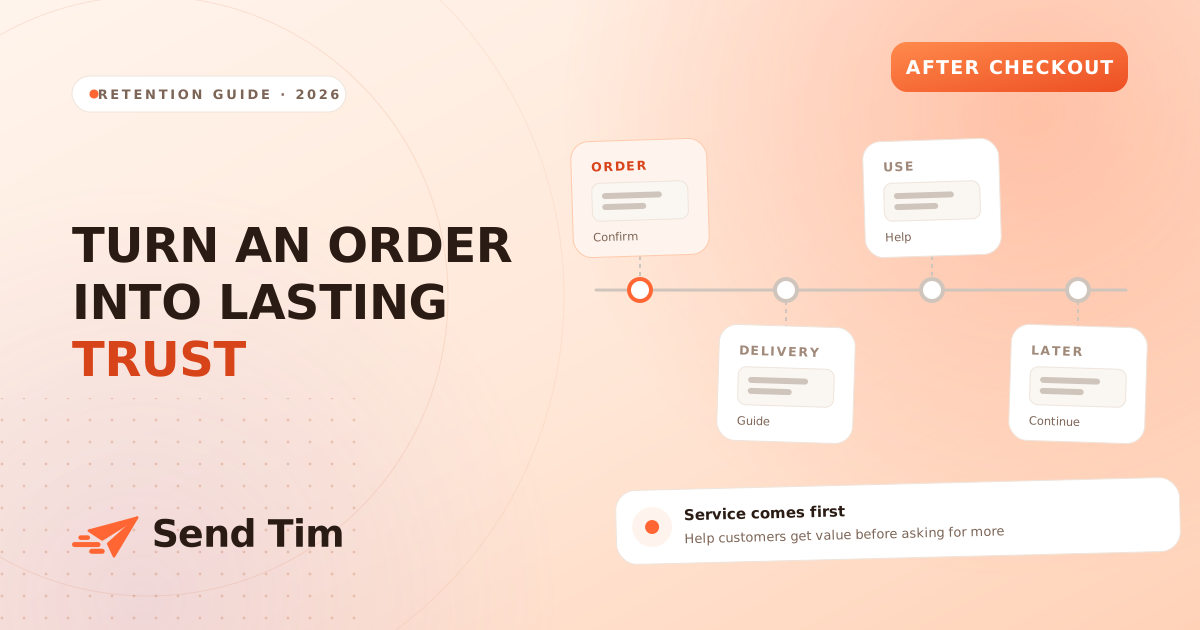
The moment after a purchase is full of questions. Did the order work? When will it arrive? What happens next? A useful post-purchase sequence answers those questions, helps the customer use the product and creates a reason to return. It should feel like service before it feels like another campaign.
This guide separates operational messages from lifecycle follow-ups, then maps a practical sequence. Adapt it to the product, delivery process and events your systems can reliably provide. A digital download, a subscription and a physical order need different timing even when the broad customer journey looks similar.
Separate transactional messages from marketing
Order confirmations, receipts, password resets and shipping notices exist because the customer took an action. They should arrive promptly and make the requested information easy to find. A marketing follow-up may introduce related products or ask for another purchase. The distinction affects content, consent, suppression and operational ownership, so document which system sends each message.
Do not hide a receipt beneath a large promotion or make an account action difficult to find. Keep the operational subject line recognizable and the essential details near the beginning. The transactional email guide explains the difference in more detail and shows how to monitor delivery per message.
| Message | Primary job | Typical trigger |
|---|---|---|
| Order confirmation | Confirm the purchase and key details | Successful order event |
| Shipping or access update | Explain how and when the customer receives value | Fulfillment, delivery or access event |
| Product guidance | Help the customer start successfully | Delivery or first-use event where available |
| Feedback request | Learn about the real experience | Enough time to receive and use the product |
| Relevant next step | Offer continued value or replenishment | Expected need, usage or product lifecycle |
Confirm the order without creating new doubt
The confirmation should include the order identifier, items, amount, delivery or access expectation, support route and a clear link to manage the order when available. Use readable text for essential information. If an item is made to order, a payment is pending or delivery depends on another step, explain that state precisely instead of using a generic “confirmed” message.
Avoid promising an exact arrival date when the fulfillment system only provides an estimate. If details change, the update should come from the source of truth rather than a manually scheduled campaign. Test taxes, currencies, partial fulfillment, refunds and missing optional fields before relying on the template.
Use delivery or access events to time the next message
A fixed delay after purchase is easy to build but often wrong. Physical orders can arrive early or late, while digital access may be immediate. When possible, trigger guidance from delivery, activation or first-use events. When those events are unavailable, use conservative timing and wording that remains useful if the product has not arrived.
- Physical product: setup, care, sizing or troubleshooting after expected delivery.
- Digital product: access instructions and the shortest path to a first result.
- Subscription: what happens before the next billing or delivery event.
- Service: preparation steps, appointment details and what the customer should bring.
If customers often contact support about one step, answer it proactively. Link to the exact guide rather than the documentation homepage. Product education is part of retention because customers rarely repurchase something they could not use successfully the first time.
Help the customer reach the first useful outcome
Choose one action that indicates progress: assembling the product, completing setup, choosing preferences or using the first feature. Explain the action in a short sequence and show what success looks like. Do not send a catalogue of every possible feature immediately after purchase.
Adapt follow-ups when reliable usage data shows that the action is complete. A customer who already finished setup needs an advanced tip, not another reminder to begin. If the only signal is a click, do not say they completed the task; security tools can follow links automatically, and a click does not prove success.
Ask for feedback after the experience exists
A review request sent before delivery or meaningful use is badly timed. Base the delay on the real product lifecycle. A simple item may be reviewable soon after arrival; a course, service or considered product may need weeks. Make the request easy, explain where the review appears and provide a separate route for support problems.
Ask one focused question when qualitative feedback matters. “What almost stopped you from getting started?” produces more actionable answers than “Any feedback?” Route negative experiences to people who can solve them. Do not make support conditional on leaving a public review, and describe incentives or moderation honestly where they apply.
Earn the next purchase with relevance
Cross-sell when another item genuinely supports the purchase: a compatible accessory, replacement part or next level in a learning path. Explain the relationship instead of displaying “you may also like” products selected only by popularity. Exclude items the customer already owns when purchase data is available.
Replenishment timing should reflect likely consumption and product shelf life, not an arbitrary 30-day delay. Give customers control over frequency where possible. A reminder is more useful when it arrives near a real need and includes the product, size or configuration previously ordered.
| Follow-up | Useful when | Stop or adapt when |
|---|---|---|
| Accessory suggestion | It improves or completes the original product | The customer already purchased it |
| Replenishment reminder | Consumption timing is reasonably predictable | A subscription or replacement order exists |
| Upgrade education | The current product has a clear next level | The customer is still onboarding or needs support |
| Win-back message | Normal repeat timing has passed | Recent engagement or purchase shows the customer is active |
Map the automation with exits and ownership
- List the source events. Confirm which system owns order, fulfillment, refund and usage states.
- Define each message job. Write the customer question it answers before drafting the copy.
- Add exits and branches. Stop irrelevant reminders after returns, cancellations, repeat purchases or completed setup.
- Control frequency. Account for newsletters, promotions and support conversations reaching the same customer.
- Assign owners. Decide who updates the automation when products, policies or fulfillment times change.
Test complete paths rather than individual emails. Place a test order, change its fulfillment state, complete the intended action, request a refund and confirm that every later message responds appropriately. Check duplicates and late events. The email automation guide provides a broader framework for triggers, waits and conditions.
Measure trust and customer value
Track delivery of operational messages, support contacts per order, successful onboarding actions, review completion and repeat purchase over a suitable window. Segment by product and first-time versus returning customer where the data is reliable. A reduction in preventable support questions can be as valuable as an increase in clicks.
Treat attributed repeat revenue carefully. Customers may return because the product worked, because they intended to buy again, or because of another channel. Use holdouts when the audience is large enough, and document the reporting limits when it is not. Watch complaints and unsubscribes: post-purchase attention is welcome only while it remains useful.
Frequently asked questions
What emails should be in a post-purchase sequence?
Start with accurate order and fulfillment messages, then add product guidance, a well-timed feedback request and a relevant next step. The exact sequence depends on how the customer receives and uses the product.
When should I ask for a product review?
Ask after the customer has had enough time to receive and meaningfully use the product. Use delivery or usage events when possible. A fixed delay should be conservative and adapted to the product lifecycle.
Can an order confirmation contain promotional content?
The operational purpose and essential order details should remain clear and prominent. Marketing rules vary by context and market, so keep transactional and promotional purposes distinct and apply the appropriate consent and suppression logic.
How do I measure a post-purchase email sequence?
Measure successful delivery, support demand, onboarding actions, feedback and repeat purchase over consistent windows. Use clicks and attributed revenue as supporting signals, and account for discounts, returns and purchases that may have happened without the email.