On this page
- What is a re-engagement email?
- When does a subscriber count as inactive?
- Why re-engage instead of just deleting or ignoring them?
- The win-back flow, step by step
- What to write: six re-engagement emails that work
- Common re-engagement mistakes
- How to run a re-engagement campaign in Send Tim
- How to measure a re-engagement campaign
Every list goes quiet over time. People change jobs, abandon inboxes, or simply lose interest. Left alone, those contacts do more than sit there: they make every campaign look less wanted to Gmail, Yahoo and Outlook, and they quietly drag your inbox placement down for the people who do read you.
A re-engagement campaign fixes this deliberately. You give quiet subscribers one clear chance to come back, and you stop emailing the ones who do not take it. This guide covers how to define inactivity, what to send, real subject line examples, and how to automate the whole thing.
What is a re-engagement email?
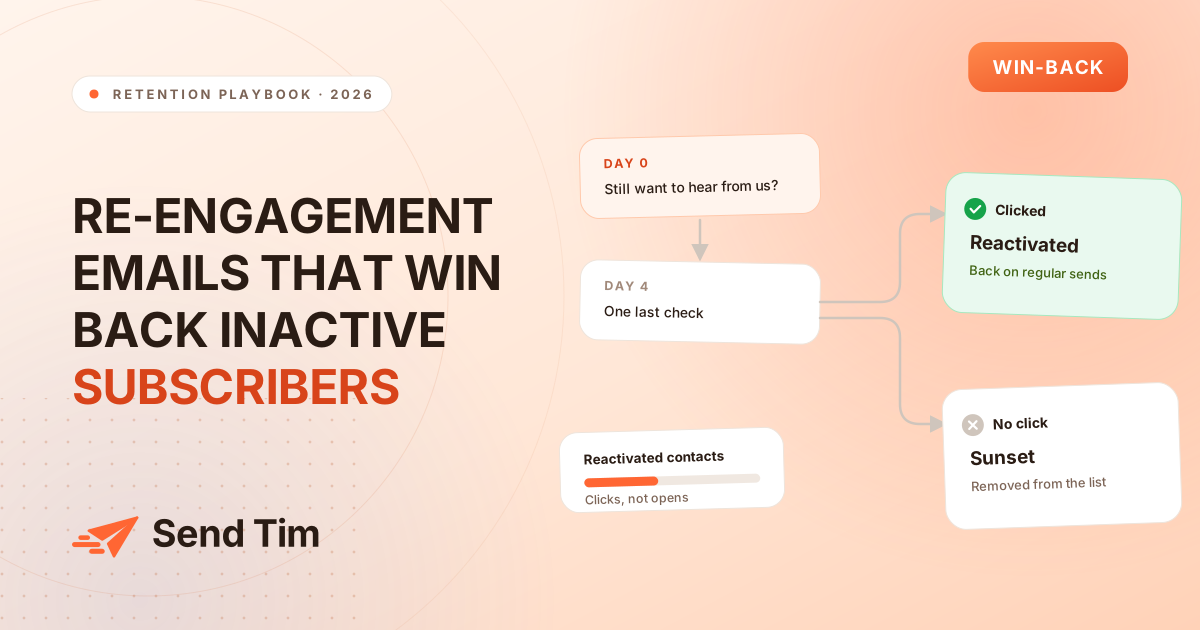
A re-engagement email (also called a win-back or re-permission email) is a message sent only to subscribers who have not opened or clicked anything for a defined period. Its job is not to sell. It asks one question, "do you still want to hear from us?", and makes the answer a single click.
It is different from a customer win-back offer, which targets people who stopped buying. Re-engagement targets people who stopped reading. The two often overlap, and you can combine them, but the goal here is list health first and revenue second.
When does a subscriber count as inactive?
There is no universal number. A contact who has not engaged in 30 days is cold if you send daily, and perfectly normal if you send once a month. Tie the window to your sending frequency:
| How often you send | Consider inactive after | Why |
|---|---|---|
| Daily or several times a week | 30 to 60 days | Dozens of unopened emails is a clear signal. |
| Weekly | About 90 days | Roughly a dozen sends with no response. |
| Every two weeks or monthly | 120 to 180 days | Fewer sends, so give people more of them. |
| Seasonal or long B2B cycles | 180 to 365 days | Interest is real but infrequent; do not cut too early. |
Decide one more thing up front: whether contacts who have never engaged count as inactive. Usually they should. An address that has not opened a single email since signup is the most likely to be abandoned, mistyped or a trap.
Why re-engage instead of just deleting or ignoring them?
- Deliverability. Mailbox providers weigh how recipients react. A large block of contacts who never open signals that your mail is unwanted, which can push campaigns to spam for everyone.
- Spam traps. Long-abandoned addresses are sometimes recycled by providers into traps. Hitting them hurts your sender reputation.
- Honest numbers. Every metric you report, from click rate to revenue per email, is diluted by people who will never read the message.
- Cost. Most email platforms, Send Tim included, price plans by the number of contacts. Paying to email people who are gone is waste.
- Some of them come back. A clear, respectful re-permission email reactivates a share of the list that a silent deletion would have lost.
The win-back flow, step by step
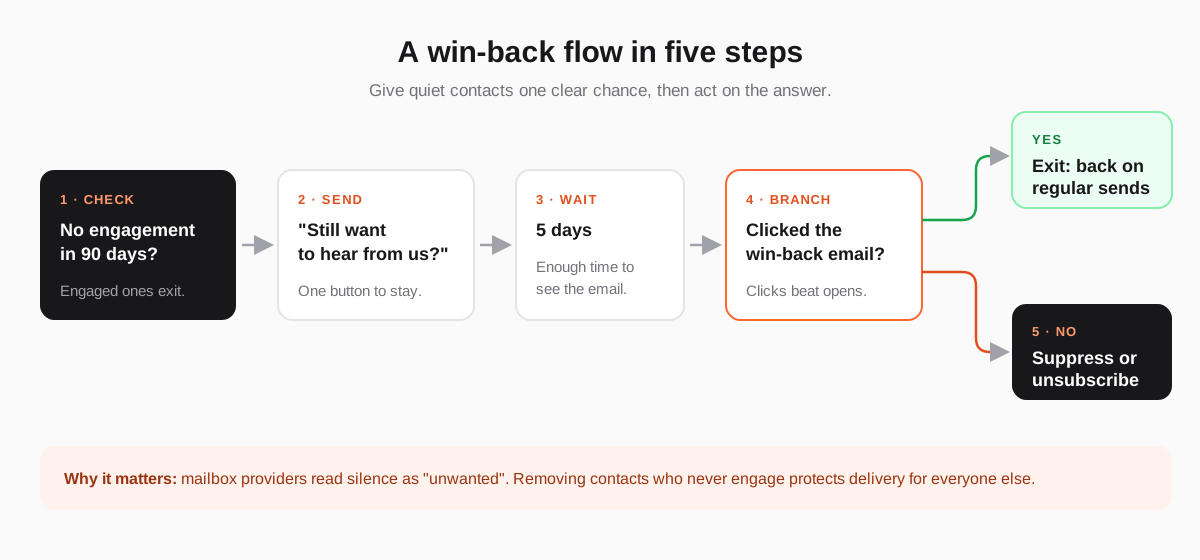
- Check engagement. Select contacts with no opens or clicks in your inactivity window. Anyone still engaged leaves the flow here.
- Send the re-permission email. Short, honest, one button. More on what to write below.
- Wait. Five to seven days is enough for most people to see it.
- Branch on the answer. Contacts who clicked "keep me in" are back: they exit and return to your regular campaigns. Optionally send a second, different email to those who did not respond.
- Sunset the rest. Suppress or unsubscribe contacts who stayed silent, so they receive nothing further. Keep the record, so an old import cannot quietly add them back.
What to write: six re-engagement emails that work
The best re-engagement emails are short and specific. Pick the approach that fits your brand, and keep one clear call to action:
| Type | When it works best | Example subject line |
|---|---|---|
| The honest check-in | Almost always; the default | "Still want to hear from us?" |
| What you missed | Content-led newsletters | "The 3 guides our readers saved most this quarter" |
| Preference update | Lists with several topics or frequencies | "Too many emails? Choose what you get" |
| The incentive | E-commerce and subscriptions | "A thank-you if you would like to stay" |
| The feedback ask | B2B and SaaS | "One question before we stop emailing you" |
| The last call | Second and final attempt | "This is our last email unless you click below" |
Anatomy of a good re-engagement email
- Say why they are getting it. "You have not opened our emails in a while, so we want to check before sending more."
- One big button to stay. "Yes, keep me in" beats a link buried in a paragraph. Clicking it should be the whole job.
- An easy way out. Offer the unsubscribe and preferences links plainly. Someone who leaves now will never mark you as spam.
- A reminder of value. One sentence on what they get by staying, or a link to your best recent piece.
- Plain, personal tone. This email reads best as a note from a person, not a promotional banner.
Common re-engagement mistakes
- Sending a sales email to inactive contacts. They have not read your last ten; a discount banner will not be the one that lands. Ask first, sell later.
- Branching on opens. Privacy proxies make opens fire automatically for many readers. Use clicks to decide who stays.
- Sending five re-engagement emails. One or two is enough. A long chase raises complaints from exactly the people you want to leave on good terms.
- Deleting instead of suppressing. A deleted address can return through the next CSV import. Suppression keeps it blocked.
- Running it once and forgetting. Inactivity is continuous. Re-engagement works best as an always-on automation.
How to run a re-engagement campaign in Send Tim
Send Tim supports both approaches: a one-off win-back campaign, and an automation that keeps the list clean on its own. Both use the same definition of "dormant" for the whole workspace, so the campaign, the segment builder and the automation never disagree about who is inactive.
- One-off campaign, on every plan. Start a campaign with Re-engage dormant contacts, pick a window of inactivity, and the audience is exactly the contacts who have gone quiet for that period.
- Sunset automation, from the Starter plan. An engagement check, a re-permission email, a wait, an If / Else branch and a Remove dormant contacts step that suppresses (the default) or unsubscribes the contacts who stayed silent.
- A safety check before it runs. Because the automation removes contacts, activating it shows how many currently match the dormancy rule and asks you to type REMOVE to confirm.
- Or ask your AI agent. Connected over MCP, assistants such as ChatGPT or Claude can start the
create_reengagement_flowworkflow, draft the email and build the automation, leaving activation for you to approve.
The step-by-step setup is in the guide Re-engage or remove dormant contacts.
How to measure a re-engagement campaign
- Reactivation rate: contacts who clicked to stay, divided by contacts who received the email. This is the headline number.
- Unsubscribes: expect more than usual, and treat them as a good outcome. Every one is a future complaint that will not happen.
- Complaint and bounce rates on later campaigns: they should fall once the dormant block is gone.
- Click rate of regular campaigns afterwards: with the silent contacts removed, it should rise.
For how these numbers fit together, see Email Marketing Metrics That Actually Tell You Something. If you are fighting spam placement already, start with Why Your Emails Go to Spam.
Frequently asked questions
What is a good re-engagement rate?
It depends on how long the contacts have been inactive and why they signed up, so treat any published average with caution. Measure the share of inactive contacts who click to stay and compare it across your own campaigns. A low rate is not a failure: the campaign has still identified who to stop emailing.
How many re-engagement emails should I send?
One or two. Send an honest check-in, wait about a week, and optionally send one final "last call" to those who did not respond. More than that tends to raise complaints without bringing many more people back.
Should I delete inactive subscribers?
Suppress them rather than delete them. Suppression stops all future sends while keeping the record, so the address cannot be re-added by a later import. Deletion or anonymization is the right step when someone asks for erasure under the GDPR.
What is the difference between a re-engagement and a win-back campaign?
The terms are often used interchangeably. Strictly, re-engagement targets subscribers who stopped opening and clicking your emails, while a win-back campaign targets customers who stopped buying. Many teams run both, with the re-engagement email focused on permission and the win-back email on an offer.