On this page
- Define the job of the welcome sequence
- A practical three-email welcome sequence
- Email one: deliver what the subscriber requested
- Email two: help the reader take one useful step
- Email three: answer the question that blocks progress
- Set audience rules before activating the automation
- Test the journey from the signup form
- Measure the next action, then improve the weak step
A signup is the beginning of a conversation. Someone has just trusted you with an email address because they expect a guide, a product update, a discount or useful advice. The first message should make that decision feel worthwhile. A welcome sequence then helps them understand what to do next without making them read your entire website.
This guide describes a three-message starting point for newsletters, online stores and software products. The examples are drafts to adapt, not a universal recipe. Choose the outcome first, keep the sequence short enough to review, and add complexity only when you can explain how it helps the subscriber.
Define the job of the welcome sequence
Write down what the signup form promised. If someone requested a downloadable guide, deliver the guide. If they subscribed to a newsletter, explain the topics and expected frequency. If they created a software account, point them toward the first useful task. These are different moments, and the same generic introduction will not serve all of them equally well.
Choose one primary outcome for the sequence: reading the first issue, choosing a product, or completing an initial setup step. This gives you a way to decide what belongs in each email. A founder story might support trust, but it should not delay the resource or instructions that brought the person to the signup form.
- Promise: what did the subscriber ask to receive?
- Next step: what action would make their experience useful?
- Context: what do you know from the form or account that changes the message?
- Exit: when should the subscriber stop receiving these onboarding reminders?
A practical three-email welcome sequence
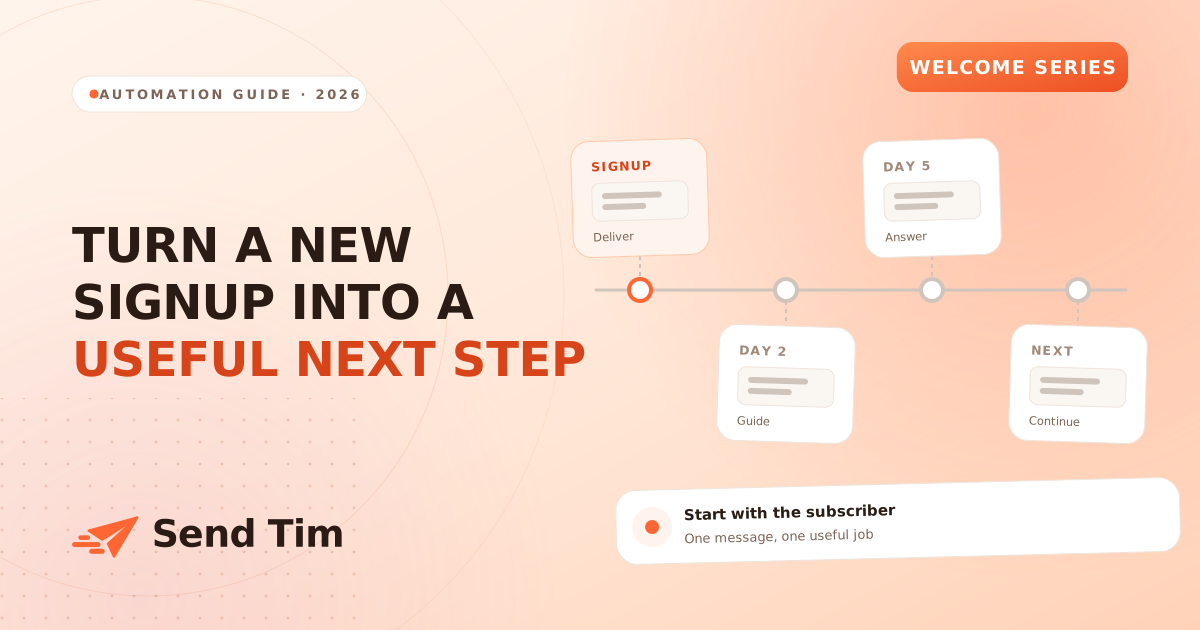
| Message | Suggested timing | Primary job |
|---|---|---|
| Deliver the promise | Soon after the relevant signup event | Provide the resource, explain expectations and offer one next step |
| Help with the first action | A day or two later as a starting point | Show one useful way to get started |
| Answer a common question | A few days after the second message | Remove a real obstacle and point toward continuing value |
Treat those delays as planning assumptions. A short event registration sequence may need much tighter timing; a complex buying decision may need more space. If a confirmation step is part of your signup flow, keep it clear and deliver the marketing welcome sequence after the appropriate confirmation. Review the actual subscriber journey instead of counting only the messages you intend to send.
Email one: deliver what the subscriber requested
The opening email should answer three questions quickly: why am I receiving this, where is the thing I asked for, and what happens next? Use a recognizable sender name and a subject line connected to the form. Keep the promised resource near the beginning rather than beneath a company introduction, a product gallery and several unrelated links.
That example makes expectations explicit without asking for five things at once. Replace the follow-up promise with your real schedule. If the email invites replies, send them to a monitored inbox and decide who will answer. A personal tone is useful only when there is a real way for a reader to get help.
Email two: help the reader take one useful step
The second email should build on the first. For a newsletter, link to one representative issue and explain why it is worth reading. For a store, help a subscriber choose between product categories. For software, describe the shortest path to an initial result. Keep instructions concrete enough that a reader knows what completing the action looks like.
Where you have reliable action data, adapt the follow-up. A person who completed setup needs the next step rather than another instruction to start. If you only know that they clicked, do not claim they finished the task. Click tracking is an indication of interest, and automated scanners can sometimes follow links too. Phrase the message to remain useful under uncertainty.
Email three: answer the question that blocks progress
Use actual support questions, customer interviews or replies to identify the obstacle. It might be choosing an audience, understanding shipping, importing data or deciding which plan is appropriate. Answer one question clearly in the email and link to a fuller explanation for readers who need it. Avoid turning the final welcome message into a catalogue of every feature.
After this email, explain how regular communication continues. Do not promise that readers will only receive a monthly newsletter if weekly promotions are also scheduled. Make the transition match your actual sending plan. Review overlapping campaigns so a new subscriber does not receive a welcome lesson and several unrelated announcements in the same afternoon.
Set audience rules before activating the automation
- Entry: use the signup or list event that actually represents this welcome journey. Decide how imports and existing contacts should behave.
- Duplicate protection: define whether a subscriber can enter once or can return after a meaningful new signup. Test repeat submissions.
- Exclusions: respect unsubscribed and suppressed states before every message, including messages queued earlier.
- Completion: stop first-purchase reminders after a purchase, or setup reminders after completion, when those events are available.
- Missing data: use readable defaults for optional names and avoid conditions that depend on fields you do not collect.
- Ownership: assign someone to review the sequence after a form, offer, product or destination page changes.
Map these rules before translating them into a tool. Some journeys can use a signup trigger and a few waits; others need purchase events or application events that require an integration. Confirm what your implementation can observe. The email marketing automation guide explains how triggers, delays and conditions fit together.
Test the journey from the signup form
Use a fresh test address and submit the real form. Check the confirmation experience if present, the first message, the destination link and the later follow-ups. Test an address without a first name, a repeat signup and an unsubscribe before the next email is due. A preview of each email cannot reveal a broken entry rule or duplicate enrollment.
Check the reading experience on a phone as well. Keep the main action easy to find, the resource available without an unexpected login, and essential information in readable text. Ask a teammate who did not write the sequence to explain what they should do after each message. If the answer is unclear, simplify the draft before adding another step.
Measure the next action, then improve the weak step
Track how many eligible signups enter the sequence, how many messages are delivered and how many people take the intended next step. Use a consistent observation window so recent signups are not compared with people who have had a week to respond. Review unsubscribes, complaints and replies alongside clicks to understand whether expectations match the experience.
Start by changing the weakest handoff. If readers click the resource but do not use it, inspect the destination before rewriting the subject line. If many unsubscribe immediately, compare the form promise with the first email. Read the email funnel guide for a way to examine those transitions without treating every drop as a copy problem.
Frequently asked questions
How many emails belong in a welcome sequence?
Three is a practical starting point: deliver the promise, guide a first action and answer a common question. A simple newsletter may need only one welcome email. Add messages when they serve a distinct purpose rather than extending the sequence for its own sake.
When should the first welcome email arrive?
Send it soon after the relevant signup or confirmation event so the reader recognizes why it arrived. Exact timing depends on the flow, but the requested resource should not wait for a later promotional email.
Should welcome emails stop after a purchase?
Stop or adapt messages whose purpose has already been fulfilled. A first-purchase reminder no longer fits someone who bought. Useful product guidance may still be appropriate, provided it matches the expectations set at signup.
What should I measure besides open rate?
Measure the action the sequence was designed to support, such as a resource click, completed setup or first purchase. Track delivery, unsubscribes, complaints and replies as context. Use the same observation window when comparing groups.