On this page
A newsletter earns attention slowly. Readers learn whether opening it usually gives them a useful idea, a relevant update or a clearer decision. That expectation matters more than a clever name or an elaborate template. If the promise changes every week, subscribers have no reason to build a reading habit.
A newsletter strategy turns that promise into a repeatable publishing system. It defines who the newsletter serves, what belongs in an issue, how often it appears, and what success looks like. This guide gives a small team a practical way to make those decisions before the content calendar fills up.
Define one primary reader
Start with the person whose questions should shape most issues. “Customers” is usually too broad. A useful description combines a role or situation with a recurring need: an independent store owner planning weekly promotions, a product marketer learning lifecycle email, or a customer trying to get more value from a recent purchase.
You may have several audiences, but choose one primary reader for each newsletter. When an issue tries to serve prospects, new customers, advanced users and investors at once, every section becomes optional to most recipients. Separate editions or simple email segments can make the content more relevant without requiring dozens of versions.
- Situation: what is happening in the reader’s work or life when the newsletter is useful?
- Question: what recurring decision can you help them make?
- Evidence: which support tickets, searches, sales calls or replies show that the question is real?
- Boundary: which topics are interesting to your company but outside the newsletter promise?
Write a promise readers can recognize
Complete this sentence: “Every [cadence], we help [reader] do [useful outcome] with [kind of content].” A promise such as “Every Thursday, one practical email experiment for independent stores” gives editors a filter and gives subscribers a reason to join. Put a plain version of it on the signup form so the first email matches the expectation you created.
Avoid promises built only around your activity, such as “company news and updates.” Ask what the update changes for the reader. A product release might belong because it removes a task, changes a workflow or creates a new option. The announcement itself is not automatically useful just because the team worked hard on it.
Build a repeatable content system
A sustainable newsletter does not begin from an empty document every week. Keep a small idea bank sourced from customer questions, product usage, interviews, industry changes and lessons from your own work. Record the reader question, the evidence behind the answer and the next step you may recommend. This makes it easier to choose strong ideas without forcing weak ones into the schedule.
| Content type | Reader value | Possible source |
|---|---|---|
| How-to lesson | Helps complete a specific task | Support question or workflow review |
| Example or teardown | Shows what a principle looks like | Campaign, template or customer story |
| Decision guide | Makes a choice easier | Sales question or product comparison |
| Curated update | Explains what changed and why it matters | A small set of primary sources |
Formats should support the idea rather than dictate it. A short issue is appropriate when the answer is short. A longer guide is worthwhile when the reader needs context and examples. Consistency means a consistent promise and recognizable structure, not an identical word count every time.
Choose a cadence the team can keep
Weekly is common, but it is not a requirement. A useful fortnightly issue beats a rushed weekly one. Estimate the time needed to research, write, review, build and test an ordinary edition. Then choose a frequency that leaves room for vacations, launches and unexpected work. Tell subscribers what to expect, and update the promise if the schedule changes materially.
- Set an editorial deadline before the send date, including time for factual and link checks.
- Name an owner who can decide whether an issue is ready or should wait.
- Keep a small buffer of evergreen ideas, but recheck every claim and destination before sending.
- Review competing sends so new subscribers do not receive the newsletter beside several unrelated campaigns.
Design for reading, not decoration
Use a clear hierarchy, readable type and one main column. Put the central idea near the beginning and use headings that help a scanning reader understand the argument. Essential information should remain available when images are blocked. The complete email design guide covers mobile layouts, dark mode, alternative text and tap targets.
Give each issue one primary next step. Other links can support the article, but a wall of equally prominent buttons makes the reader decide what the editor should have decided. Use a descriptive link or button that says what happens next. Test the delivered email, because an editor preview cannot reveal every inbox or tracking issue.
Use a launch checklist for the first issues
- Signup page: state the topic, audience and realistic frequency.
- Welcome email: confirm the promise and point to one representative issue.
- Sender details: use a recognizable name, monitored reply address and complete footer.
- Content review: verify claims, dates, names and external sources.
- Journey test: subscribe with a fresh address and follow every link on desktop and mobile.
- Fallback plan: know who can pause the send when a destination or claim changes.
Launch with enough ideas for several issues, but write the final copy close enough to publication that it remains accurate. Invite replies with one specific question and read the answers. Early reader language is often more useful than a generic survey because it reveals the situations people were trying to solve when they subscribed.
Measure whether the newsletter keeps its promise
Choose a primary action that matches the newsletter: reading a guide, trying a workflow, visiting a relevant product page or replying with a question. Compare issues over a consistent period and annotate major audience or format changes. Clicks are useful but imperfect because security scanners can follow links, while privacy features make opens unreliable for individual decisions.
Watch unsubscribes and complaints for expectation problems. A few unsubscribes are normal; the goal is not to keep every address forever. Look for patterns around topics, acquisition sources and sudden frequency changes. The email marketing metrics guide explains how to combine engagement and business outcomes without treating one number as the whole story.
Frequently asked questions
How often should I send an email newsletter?
Choose the fastest cadence your team can sustain with useful, accurate content during a normal month. Weekly, fortnightly and monthly can all work. State the schedule on the signup form and avoid sudden increases without a clear reason.
What should an email newsletter include?
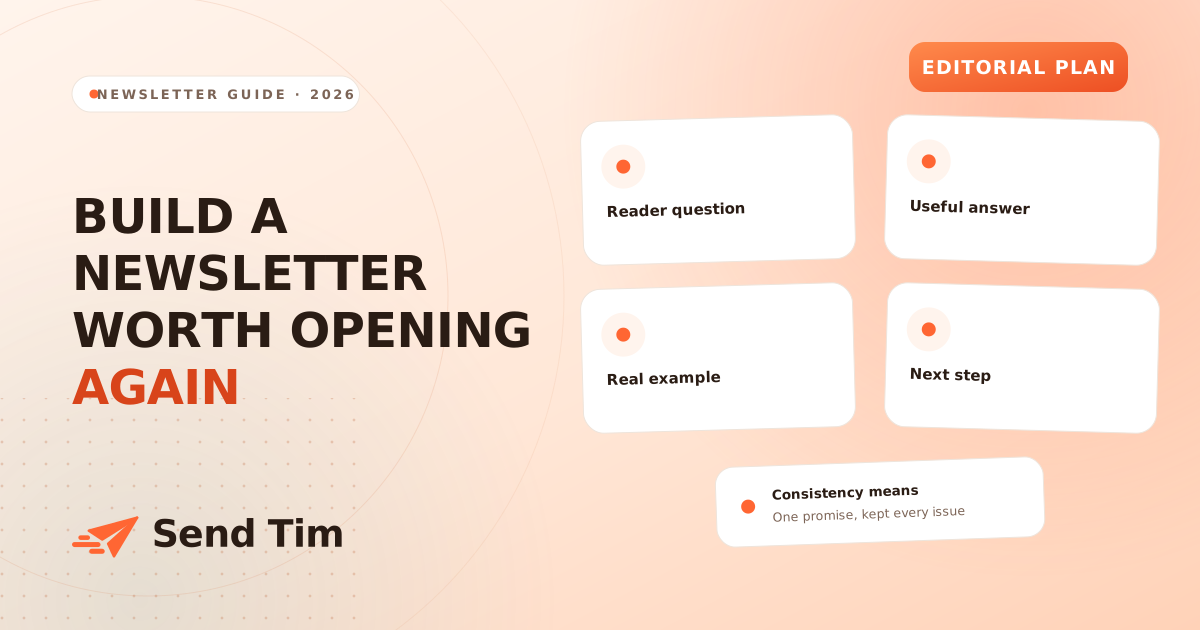
Build each issue around one reader question, a useful answer and one primary next step. Add examples, links or company updates only when they support that job. A newsletter does not need a fixed number of sections.
How do I get ideas for a newsletter?
Collect real questions from support, sales calls, search data, customer interviews and replies. Record the audience, question and evidence for each idea. This creates a useful editorial bank without relying on last-minute brainstorming.
Which newsletter metrics matter most?
Measure the action connected to the newsletter promise, then use delivery, clicks, replies, unsubscribes and complaints as context. Open rates can help with broad trends but privacy protections make them unsuitable as proof that an individual read an issue.